Dexter CSD200.35.5
Publisher Description

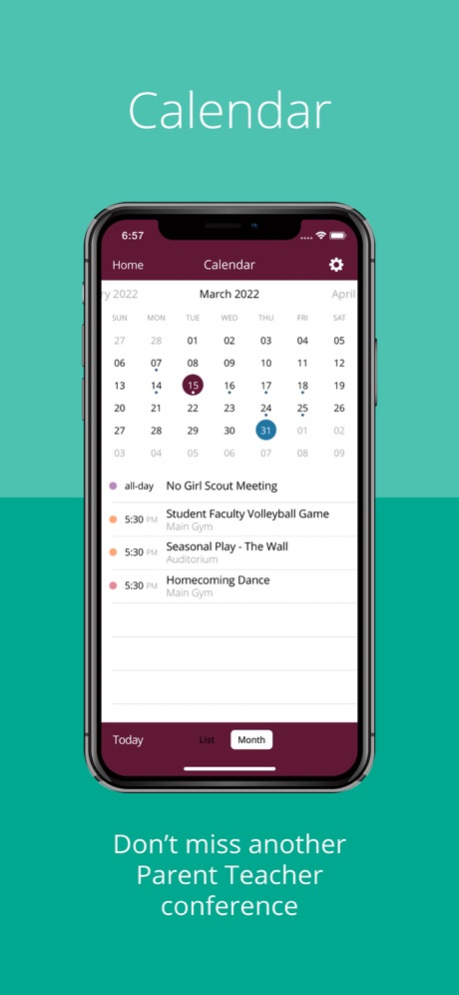
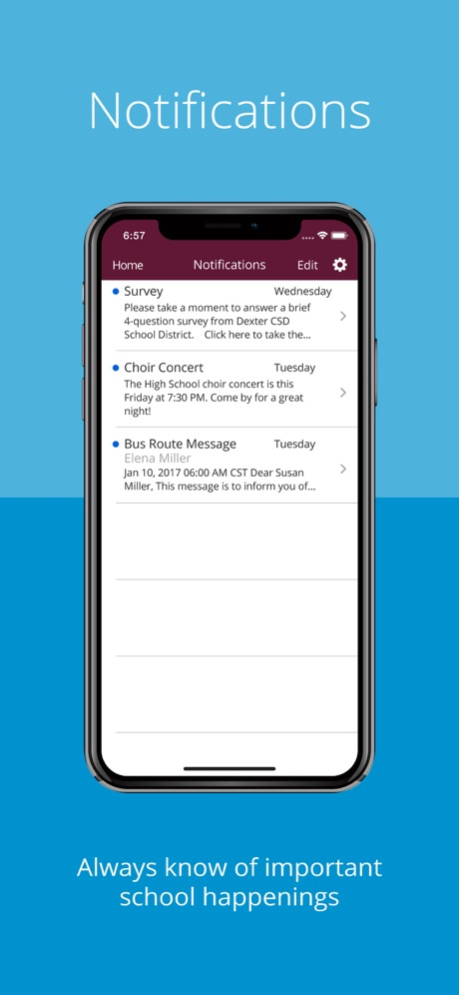

The Dexter CSD app provides parents, students, and faculty members with all the information they need in one place, conveniently accessed and explicitly formatted for consumption on their mobile devices.
The App includes:
- Blogs, news and announcements
- Pictures and documents
- Calendar events
- Constituent directory and more
Download the app today to ensure you are always aware of the most important news, announcements, and calendar events, and you have access to the most current community directory.
Users can:
- Browse the latest published photos
- Filter content and store those preferences for subsequent use
- Catch up on current news
- Browse calendars for information about upcoming events. Filter calendars to see the events most relevant to their interests
- Quickly find faculty, parent, and student contact information
- Email a constituent directly from your device
The information in the Dexter CSD app is drawn from the same source as the Dexter CSD website. Privacy controls restrict sensitive information only to authorized users.
Version History Enhanced API data fetching 200.35.5 Apr 27 Minor Bug Fixes and Improvements 200.34.5 Mar 5 Minor Bug Fixes. 5.21.2 10/02/2023 Redesigned to provide users with a fresh native app experience, intuitive navigation, and more engaging views into Dexter County's information 5.21.1 09/29/2023 - Added Support for Blackboard Reach
- New Design Update for Social Media Posts
- Improvement in Push Notifications
- Enhanced social media post user experience
- Implemented Authentication using Passcode
- Integrated the Instagram Feed
- Twitter Power Track API Integration
- Minor Bug Fixes and Improvements 5.6.20000 09/27/2022 5.2.100 06/11/2018
About Dexter CSD
The company that develops Dexter CSD is Dexter Community Schools. The latest version released by its developer is 200.35.5.
To install Dexter CSD on your iOS device, just click the green Continue To App button above to start the installation process. The app is listed on our website since 2026-10-14 and was downloaded 1 times. We have already checked if the download link is safe, however for your own protection we recommend that you scan the downloaded app with your antivirus. Your antivirus may detect the Dexter CSD as malware if the download link is broken.
How to install Dexter CSD on your iOS device:
- Click on the Continue To App button on our website. This will redirect you to the App Store.
- Once the Dexter CSD is shown in the iTunes listing of your iOS device, you can start its download and installation. Tap on the GET button to the right of the app to start downloading it.
- If you are not logged-in the iOS appstore app, you'll be prompted for your your Apple ID and/or password.
- After Dexter CSD is downloaded, you'll see an INSTALL button to the right. Tap on it to start the actual installation of the iOS app.
- Once installation is finished you can tap on the OPEN button to start it. Its icon will also be added to your device home screen.
Program Details
System requirements
Download information
Pricing
Version History
version 200.35.5
posted on 2026-10-14
Version History Enhanced API data fetching 200.35.5 Apr 27 Minor Bug Fixes and Improvements 200.34.5 Mar 5 Minor Bug Fixes. 5.21.2 10/02/2023 Redesigned to provide users with a fresh native app experience, intuitive navigation, and more engaging views into Dexter County's information 5.21.1 09/29/2023 - Added Support for Blackboard Reach
- New Design Update for Social Media Posts
- Improvement in Push Notifications
- Enhanced social media post user experience
- Implemented Authentication using Passcode
- Integrated the Instagram Feed
- Twitter Power Track API Integration
- Minor Bug Fixes and Improvements 5.6.20000 09/27/2022 5.2.100 06/11/2018
version 200.35.5
posted on 2026-09-04
Version History Enhanced API data fetching 200.35.5 Apr 27 Minor Bug Fixes and Improvements 200.34.5 Mar 5 Minor Bug Fixes. 5.21.2 10/02/2023 Redesigned to provide users with a fresh native app experience, intuitive navigation, and more engaging views into Dexter County's information 5.21.1 09/29/2023 - Added Support for Blackboard Reach
- New Design Update for Social Media Posts
- Improvement in Push Notifications
- Enhanced social media post user experience
- Implemented Authentication using Passcode
- Integrated the Instagram Feed
- Twitter Power Track API Integration
- Minor Bug Fixes and Improvements 5.6.20000 09/27/2022 This app has been updated by Apple to prepare for watchOS 27 compatibility. No new features are included. 5.2.100 06/11/2018
version 200.35.5
posted on 2026-08-23
Version History Enhanced API data fetching 200.35.5 Apr 27 Minor Bug Fixes and Improvements 200.34.5 Mar 5 Minor Bug Fixes. 5.21.2 10/02/2023 Redesigned to provide users with a fresh native app experience, intuitive navigation, and more engaging views into Dexter County's information 5.21.1 09/29/2023 - Added Support for Blackboard Reach
- New Design Update for Social Media Posts
- Improvement in Push Notifications
- Enhanced social media post user experience
- Implemented Authentication using Passcode
- Integrated the Instagram Feed
- Twitter Power Track API Integration
- Minor Bug Fixes and Improvements 5.6.20000 09/27/2022 This update from Apple will improve the functionality of this app. No new features are included. 5.2.100 06/11/2018
version 200.34.5
posted on 2026-03-05
Minor Bug Fixes and Improvements
version 5.21.2
posted on 2023-10-02
Oct 2, 2023
Version 5.21.2
Minor Bug Fixes.
version 5.21.2
posted on 2023-10-02
Minor Bug Fixes.
version 5.6.20000
posted on 2022-09-27
Sep 27, 2022
Version 5.6.20000
- Added Support for Blackboard Reach
- New Design Update for Social Media Posts
- Improvement in Push Notifications
- Enhanced social media post user experience
- Implemented Authentication using Passcode
- Integrated the Instagram Feed
- Twitter Power Track API Integration
- Minor Bug Fixes and Improvements
version 5.2.100
posted on 2018-06-11
Jun 11, 2018 Version 5.2.100
This app has been updated by Apple to display the Apple Watch app icon.
